A menu you can manage
Update dishes and prices, add category images, and apply choices and extras to individual items or entire categories.

FOR RESTAURANTS & TAKEAWAYS
Bring online ordering back to your business. Give customers an easy way to order, and your team a clear way to manage the rush.
Basic ordering is free. Add online payments or a restaurant website when you need them.
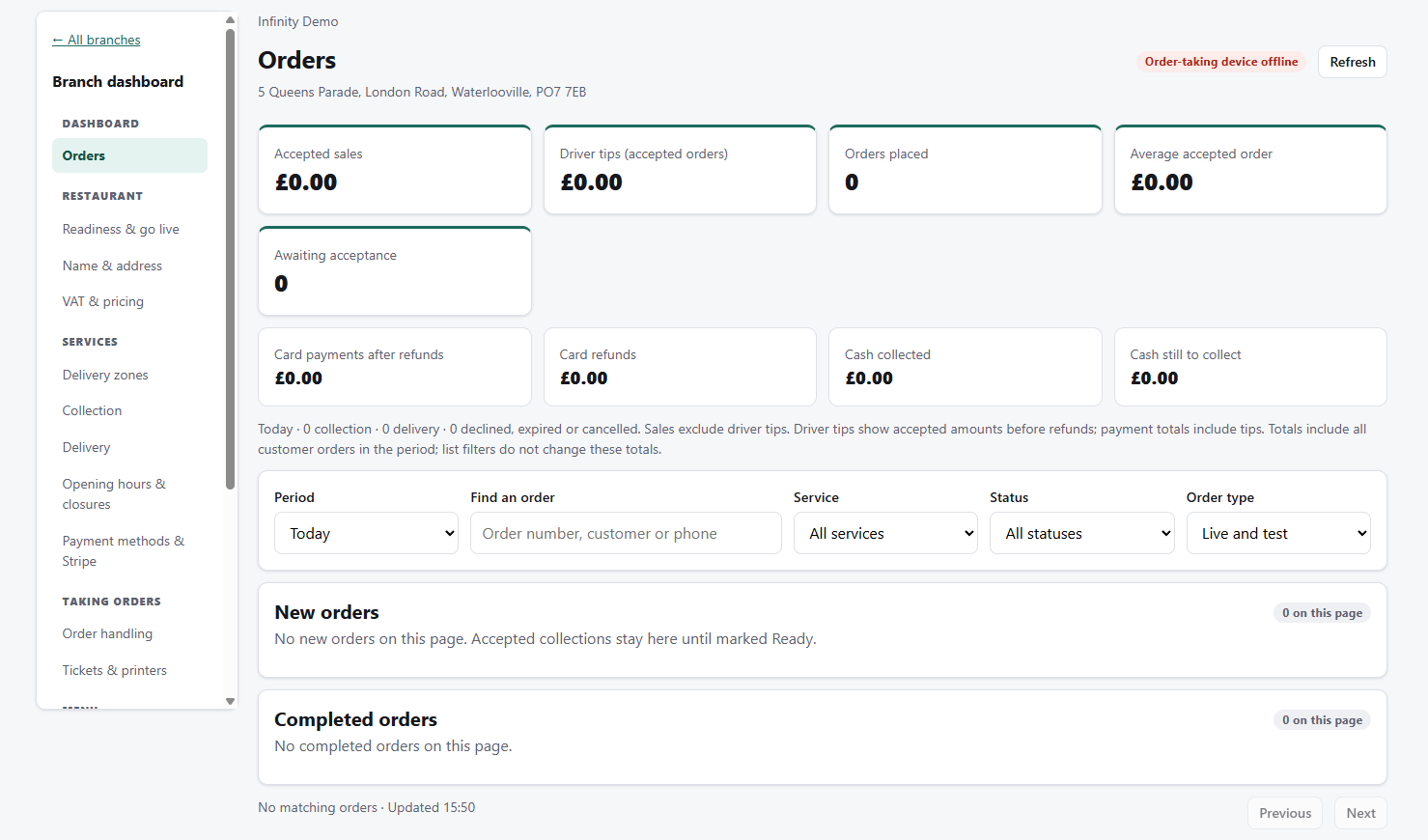
LESS ADMIN. MORE SERVICE.
From the first menu edit to the next order alert, keep the everyday jobs in one place.
Update dishes and prices, add category images, and apply choices and extras to individual items or entire categories.
Receive orders in the Android app or browser. Hear new-order alerts, confirm expected times and open the full details when you need them.
Draw delivery zones, set minimum spends and delivery fees, and manage collection and delivery hours separately.
Connect your own Stripe account with the optional Online Payments service. Manage refunds from the restaurant dashboard.
Create kitchen, customer and delivery layouts, choose copy counts and connect supported printers. Android printing uses network thermal printers.
Add an ordering button to your existing site, or choose our optional website generator and connect a domain you already own.
THE ACTUAL PRODUCT
These are screenshots of Infinity Menus itself, using demo data. Click an image to see it in full.
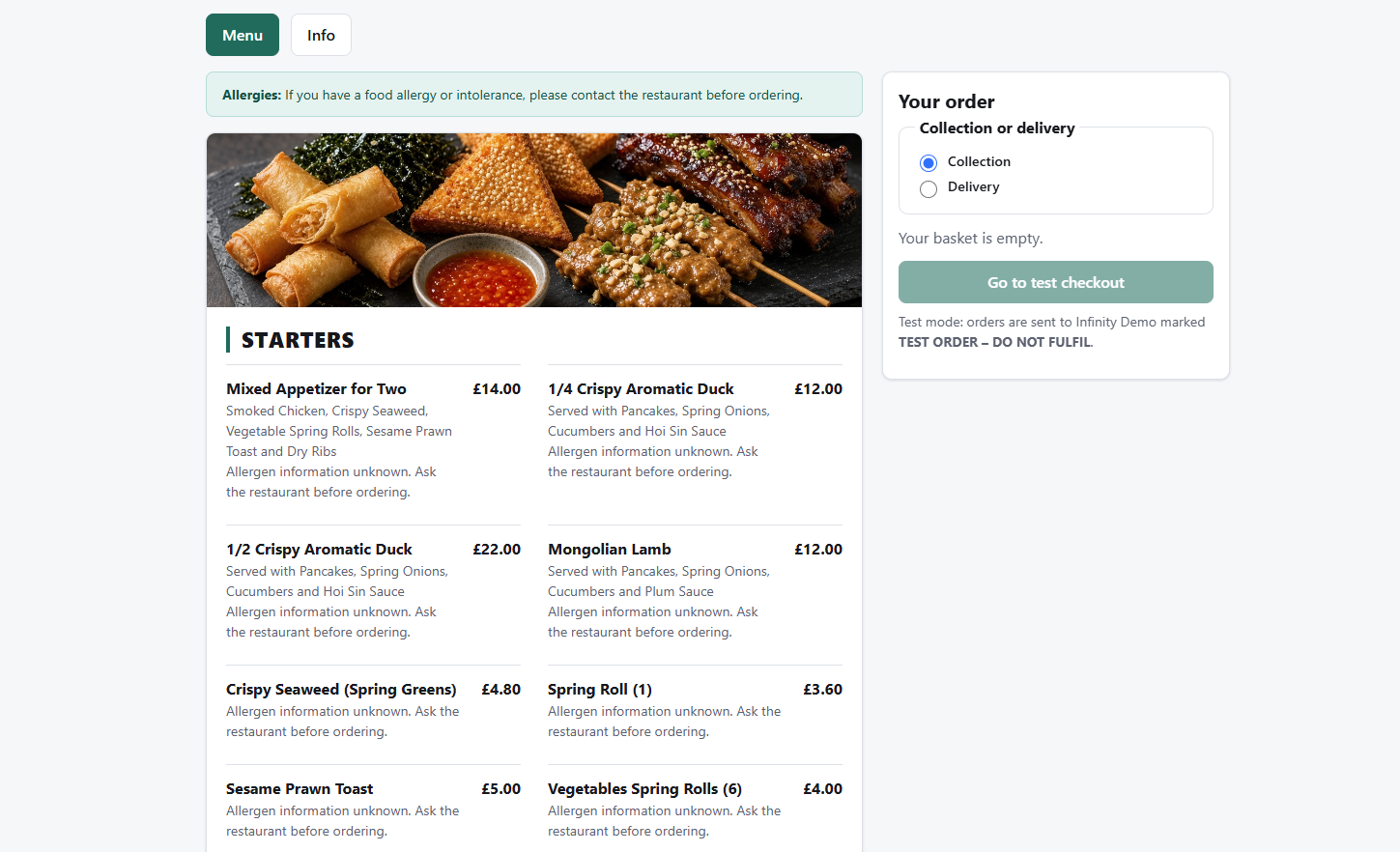
Give customers clear categories, dish descriptions, prices and a choice of collection or delivery.
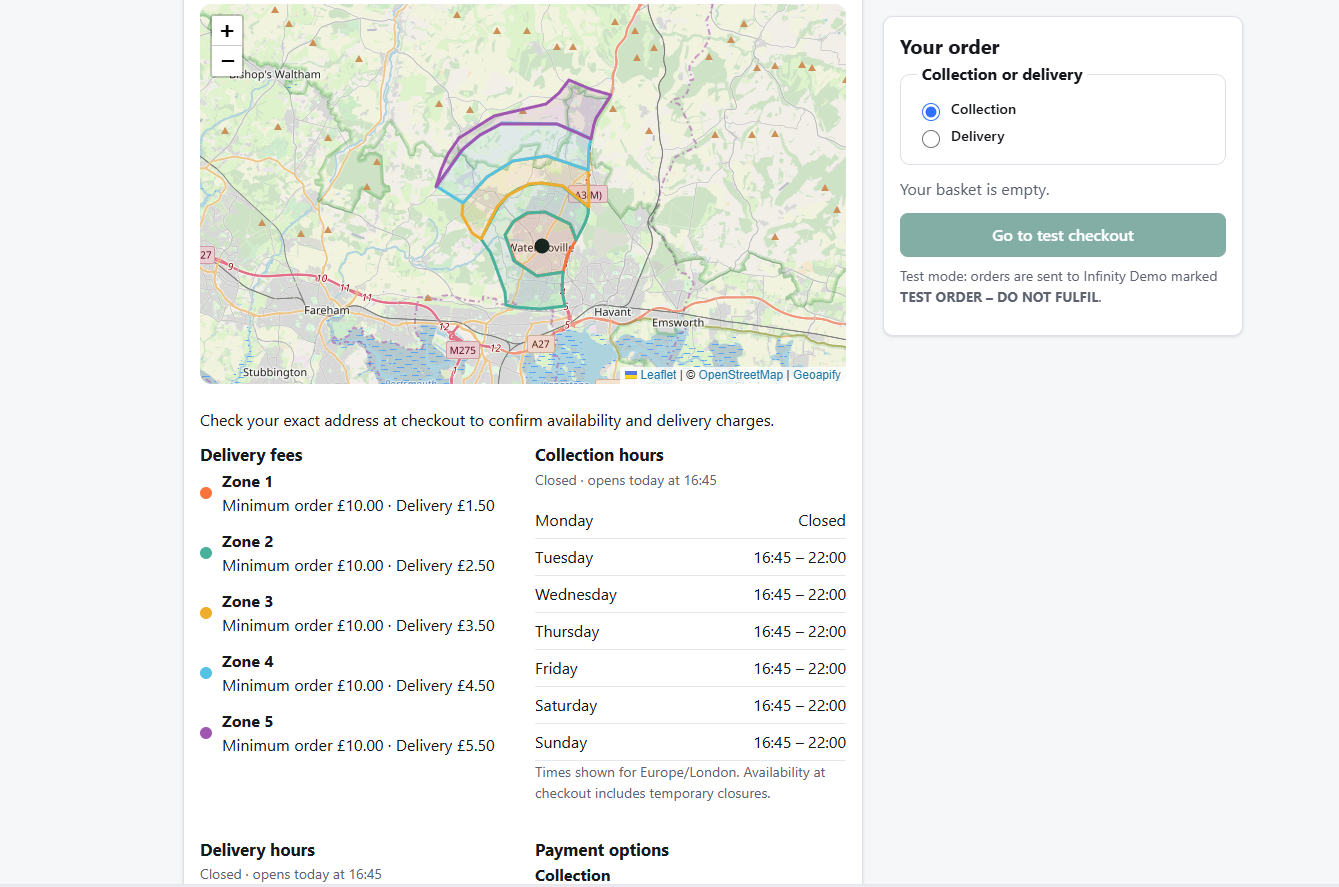
Display your delivery areas, minimum order values, delivery fees and opening hours together.
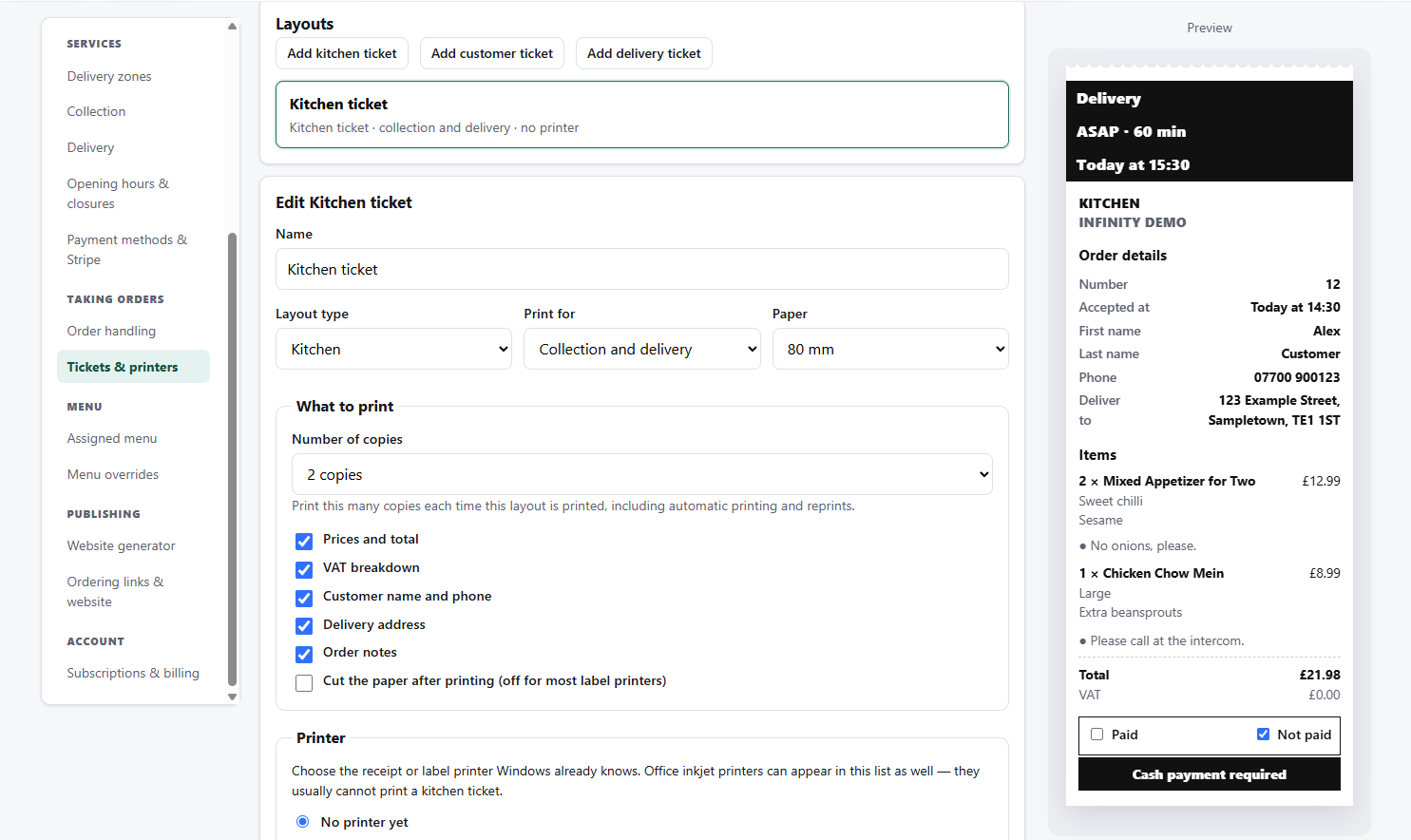
Choose kitchen, customer and delivery layouts, set copy counts and preview the ticket as you make changes.
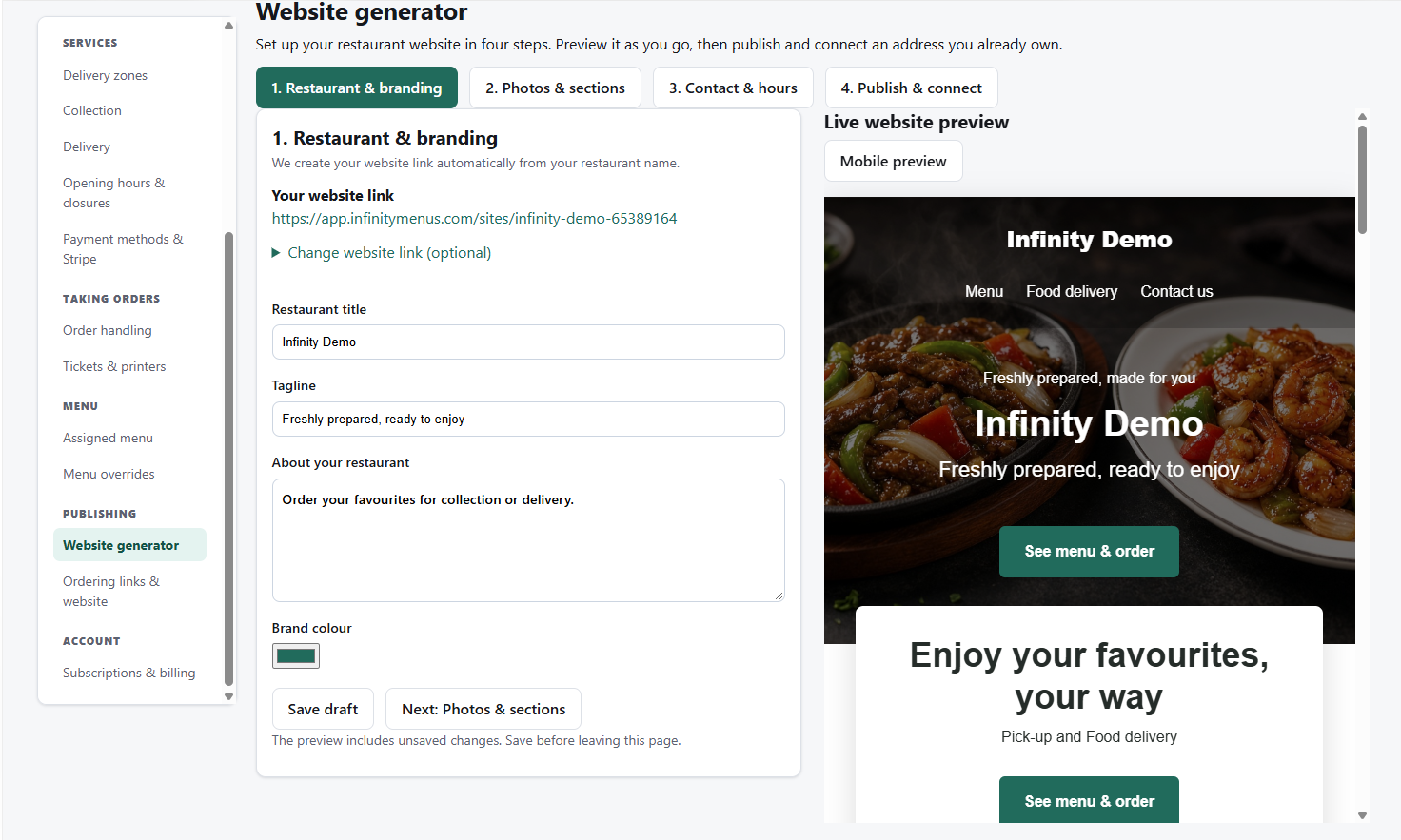
Set your branding, photos, contact details and hours, then preview your website and connect your own domain. Available as an optional paid service.
GETTING STARTED
Add your branch details, opening hours and collection or delivery settings.
Add dishes, prices and options. Preview everything before publishing.
Enrol your order-taking device, check your setup and share your ordering link.
Yes. Add your ordering link or a styled ordering button to your existing website. A generated website is an optional extra.
The Android app supports Android 8 and later. You can also use the browser-based order-taking app on Windows. Check your device and printer setup before going live.
To the restaurant's connected Stripe account. Online Payments is an optional paid service; Stripe's own processing fees apply.
Yes. Basic ordering is free, with cash on delivery or payment at collection where you enable those options.
Yes. Manage branches within a restaurant, with their own opening hours, delivery areas and settings. Paid services are activated separately for each branch.
YOUR NEXT CHAPTER
Start with free basic ordering. Build from there.